
Run one workflow every day: inspection, triage, planned work order, parts staging, wrench time, quality check, audit close-out. That loop, repeated without shortcuts, is the fleet maintenance workflow guide most operations teams are actually searching for when downtime and repair bills start piling up.
Success on this workflow looks like a specific, measurable pattern:
- High PM compliance across the fleet
- Defect-to-repair time measured in hours, not days
- Parts staged before the technician touches the vehicle, not after
Copy this into your SOP header: “Inspect daily, triage same-day, schedule to PM windows, stage parts before wrench time, close with signed documentation.” That one line, pinned above your shop’s whiteboard or your software’s dashboard, keeps everyone working the same process.
Key Takeaways
A repeatable, preventive-maintenance-first workflow, run through the same eight steps every time, is what separates fleets with low downtime from fleets stuck firefighting.
| Point | Details |
|---|---|
| Run one workflow | Inspection, triage, work order, parts staging, repair, close, review, every single time. |
| Automate handoffs | Manual handoffs between driver, dispatcher, and shop cause more downtime than mechanical failure. |
| Track five core KPIs | PM compliance, MTTR, unplanned downtime, first-time fix rate, and parts availability. |
| Build compliance into close-out | Audit-ready documentation satisfies FMCSA requirements without a separate compliance process. |
| Pair maintenance with fleet detailing | Cdcautodetailing’s mobile fleet detailing services complement PM schedules by surfacing defects early and keeping vehicles inspection-ready. |
Table of Contents
- Why a Repeatable Maintenance Workflow Matters
- Core Components Every Fleet Maintenance Workflow Must Include
- What Does an 8-Step Fleet Repair Workflow Look Like?
- Ready-to-Use Templates for Daily and Weekly Maintenance Tasks
- Which KPIs Should Fleet Managers Track?
- How to Choose and Implement Fleet Maintenance Software
- Common Implementation Pitfalls and Quick Fixes
- How Do Safety and Compliance Fit Into the Workflow?
- How Do You Build in Continuous Improvement?
- How Do You Get Teams to Actually Adopt the Workflow?
- What Should Fleet Managers Prioritize First?
- Keep Your Fleet Inspection-Ready Between Maintenance Cycles
- Sources
Why a Repeatable Maintenance Workflow Matters
A connected, preventive-maintenance-first program with standardized inspections and automated triggers reduces the surprises that blow up budgets and sideline vehicles, according to Fleetio’s maintenance management guide. The payoff shows up in four places: less downtime, more predictable spend, intact warranty coverage, and compliance records that hold up under audit.
Shifting from reactive firefighting to proactive scheduling is widely considered the single most effective lever for fleet profitability, per the Prometheus Group’s fleet maintenance research. Fewer emergency repairs also means less overtime and longer asset life, which is where the real savings compound.
Core Components Every Fleet Maintenance Workflow Must Include
A workflow is only as strong as its weakest link, and most fleets are missing at least one of these seven pieces.
- Preventive maintenance (PM): scheduled service triggered by mileage, engine hours, or calendar interval, whichever comes first.
- Driver inspections (DVIR): pre and post-trip checks that catch defects before they become breakdowns.
- Issue triage: a fast, consistent process for deciding what’s urgent, what waits for the next PM window, and what’s cosmetic.
- Work orders: the single document that turns a reported issue into an assigned, trackable repair.
- Parts and inventory: stock levels and sourcing that keep a diagnosed repair from stalling for three days waiting on a part.
- Vendor coordination: clear rules for when a job goes to an outside shop versus staying in-house, and who approves the spend.
- Records and compliance: documentation that proves the work happened, not just that it was scheduled.
Each piece feeds the next. A DVIR without a triage process just generates a pile of unread reports. A work order without staged parts turns into a vehicle sitting on a lift for a week. Usage-based PM scheduling, backed by centralized software rather than a wall calendar, is one of the core pillars separating fleets that control costs from those that constantly react to breakdowns, according to eMaint’s proactive maintenance research.
Pro Tip: Assign one person, not a department, as the triage decision-maker. The moment triage becomes a group discussion, response time doubles and defects sit unresolved.
A second habit worth building early: review your VMRS or defect codes monthly to spot repeat failures on the same asset. That pattern usually means a root cause was never fixed, only patched.
What Does an 8-Step Fleet Repair Workflow Look Like?
This is the operational backbone: capture, triage, schedule, stage, execute, check, close, review. Run it the same way every time and the pipeline stops stalling.
- Capture the issue. Owner: driver or technician. Inputs: photos, odometer or engine-hour reading, a plain-language description. Output: a logged defect report. Cadence: immediate, at the point of discovery.
- Triage severity. Owner: shop supervisor or maintenance lead. Inputs: the defect report, safety classification (out-of-service versus deferred). Output: a severity tag and routing decision. Cadence: same-day, ideally within two hours.
- Schedule the work order. Owner: maintenance planner. Inputs: severity tag, technician availability, PM calendar. Output: an assigned work order with a target date. Cadence: same-day for urgent items, next PM window for deferred ones.
- Stage parts. Owner: parts or inventory coordinator. Inputs: the work order’s parts list. Output: parts pulled and ready at the bay before the technician arrives. Cadence: before the scheduled repair slot, not during it.
- Execute the repair. Owner: technician. Inputs: work order, staged parts, OEM repair specs. Output: completed labor with notes on findings. Cadence: within the assigned service window.
- Quality check. Owner: shop lead or second technician. Inputs: completed work order, test drive or diagnostic scan. Output: a pass or fail sign-off. Cadence: immediately after repair, before the vehicle leaves the bay.
- Close out and document. Owner: maintenance admin. Inputs: signed work order, parts used, labor hours. Output: an archived, audit-ready record. Cadence: same day the repair finishes.
- Review and report. Owner: fleet manager. Inputs: closed work orders across the period. Output: KPI trends and process adjustments. Cadence: weekly for shop performance, monthly for program-level review.
Picture this as a straight line on a whiteboard: issue → work order → assigned bay → wrench time → audit close. Draw it once, post it in the shop, and any new hire understands the whole system in thirty seconds.
Cycle time matters more than most fleets track. World-class operations cut defect-to-repair cycles from days to hours by eliminating manual handoffs at every one of these steps, with top performers targeting mean time to repair under four hours and very low unplanned downtime rates, according to FleetRabbit’s five-stage workflow research. The handoff between driver, dispatcher, and shop, not the mechanical failure itself, is usually where fleets lose the most time.
Ready-to-Use Templates for Daily and Weekly Maintenance Tasks
A PM checklist only works if technicians actually fill it out, and checklists commonly fail without enforced pass/fail fields and required photo evidence, per Fleetio’s preventive maintenance checklist guide. Build yours with these fields:
- Asset ID and VIN, meter reading at time of service
- Line-item pass/fail checks (brakes, fluids, tires, lights, belts)
- Required photo upload for any failed line item
- Follow-up action field with a due date, not just a note
A driver-facing DVIR template needs fewer fields but stricter discipline: vehicle number, date/time, a short list of safety-critical checks (brakes, steering, lights, tires, coupling devices), a defect description box, and a mandatory photo whenever a box is marked failed.
Your work order template should carry the defect description, the VMRS code if you use one, a parts list with quantities, a labor estimate, and a technician sign-off line. For heavy-duty trucks, add axle and brake-adjustment fields; for light-duty vans, you can drop those and add a cargo-area inspection line. Remote sites need one more field: expected parts lead time, since staging looks different when the nearest supplier is two hours away. For a more detailed downloadable structure, see this fleet maintenance checklist for managers.
Which KPIs Should Fleet Managers Track?
Seven metrics tell you almost everything about whether your workflow is working:
- PM compliance rate: percentage of scheduled PMs completed on time
- Unplanned downtime: hours vehicles are out of service outside scheduled maintenance
- MTTR (mean time to repair): average hours from work order open to close
- First-time fix rate: percentage of repairs that don’t need a repeat visit for the same issue
- Cost per mile or per hour: total maintenance spend divided by asset usage
- Parts availability: percentage of work orders delayed by missing parts
- Repeat repairs: frequency of the same defect recurring on the same asset.
| Metric | Why it matters | Target | Review cadence |
|---|---|---|---|
| PM compliance | Prevents most unplanned failures | Above 90% | Weekly |
| MTTR | Signals workflow friction | Under 4 hours for routine repairs | Weekly |
| Unplanned downtime | Direct cost and revenue impact | Below 2% of total fleet hours | Monthly |
| First-time fix rate | Flags diagnostic or parts issues | High | Monthly |
| Parts availability | Root cause of most delays | High | Quarterly |
Run a daily ops dashboard for open work orders, a weekly shop review for MTTR and compliance, and a monthly program review for cost per mile and repeat-repair patterns. Quarterly, step back and ask whether the targets themselves still fit your fleet’s age and mix.
How to Choose and Implement Fleet Maintenance Software
Telematics and connected data are the foundation of moving from reactive to predictive maintenance, letting vehicle health data trigger a work order before a driver even reports a problem, according to Geotab’s fleet management research. When evaluating a platform, prioritize:
- Automated PM scheduling triggered by mileage or engine hours, not just calendar dates
- DVIR-to-work-order automation, so a failed inspection line creates a ticket without manual entry
- Inventory sync so parts staging pulls real-time stock data
- Audit-ready record exports for compliance reviews
- Telematics or OBD integration for fault-code alerts
Vendor options generally fall into three tiers: entry-level field apps built for small fleets and simple checklists, mid-market platforms like Fleetio and Geotab that add telematics and inventory management, and enterprise systems such as FleetFocus or hardware-tied platforms like MICHELIN Connected Fleet built for large, multi-site operations.
- Run a 60 to 90 day pilot on one site or asset class before rolling out fleet-wide.
- Clean your asset data first. Duplicate or outdated VINs will corrupt every report downstream.
- Map approval thresholds before go-live, so techs aren’t waiting on a manager’s phone call for a $40 part.
- Train drivers and technicians together, then measure pilot KPIs before expanding.
Common Implementation Pitfalls and Quick Fixes
- Manual triage backlog: automate severity routing so nothing sits in an inbox.
- Missing parts: set minimum stock levels tied to your highest-frequency repairs.
- Inconsistent inspections: standardize DVIR fields fleet-wide, no site-specific variations.
- Ignored telematics alerts: route fault codes straight into a work order queue, not a report nobody opens.
How Do Safety and Compliance Fit Into the Workflow?
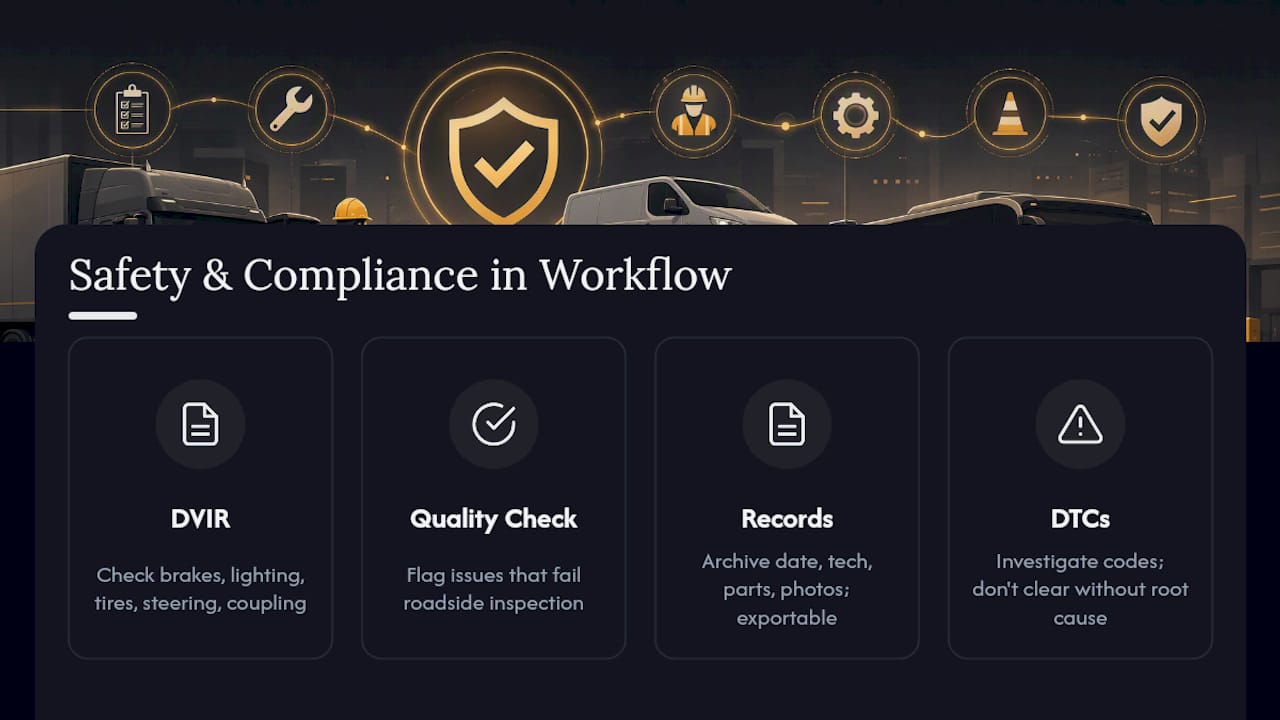
Safety and compliance aren’t a separate track from maintenance. They live inside the same eight steps. FMCSA requires carriers to systematically inspect, repair, and maintain vehicles and to keep records proving that maintenance happened, though the agency doesn’t dictate the workflow itself, according to the Federal Motor Carrier Safety Administration. That means your close-out step carries regulatory weight, not just administrative value.
Build compliance into the workflow rather than bolting it on afterward. Your DVIR template should mirror the safety-critical systems inspectors actually check: brakes, lighting, tires, steering, coupling devices. Your quality-check step should flag anything that would fail a roadside inspection before the vehicle ever leaves the yard. Guidance from the Commercial Vehicle Safety Alliance reinforces the same priority: inspection evidence and retained records matter as much as the repair itself.
Practically, this means every closed work order should generate an archived record: date, technician, parts used, and photo evidence where relevant. Store these in a format you can export quickly, since an audit request rarely comes with much notice. Treat diagnostic trouble codes as a signal to investigate, not a checkbox to clear. Clearing a code without root-cause diagnosis often just delays a bigger, more expensive failure down the line.
How Do You Build in Continuous Improvement?
A workflow that never changes eventually falls behind your fleet’s actual failure patterns. Continuous improvement means building feedback loops into steps you already run, not adding a separate improvement initiative on top.
The weekly shop review is your first feedback loop: look at which defects recur on the same assets, and treat repeat repairs as a diagnostic failure, not bad luck. The monthly program review is your second loop, where cost per mile and parts availability trends tell you whether your PM intervals are set correctly or need adjusting for a specific asset class.
Build a simple audit mechanism: pull a random sample of closed work orders each month and check whether documentation, photos, and sign-offs are complete. This catches process drift before an external audit does. Standardization and visibility across sites are the only practical way to hold quality steady as a fleet grows or adds new asset types, per Fleetio’s operational research. Multi-site fleets should compare KPI trends across locations quarterly. A site with unusually low first-time fix rates usually has a training gap or a parts-stocking problem, not a technician problem.
How Do You Get Teams to Actually Adopt the Workflow?
Workflow adoption fails more often from skipped steps than from bad design. The most common failure point is drivers who stop filling out DVIRs because nobody acts on what they report. Fix that by closing the loop visibly. When a driver’s reported defect turns into a completed repair within days, reporting compliance climbs on its own.
Roll out changes in phases rather than all at once. Start with one site or one vehicle class, get the triage and work order steps running smoothly, then expand. Train drivers and technicians together in the same session, since the whole workflow depends on both groups trusting the handoff between them. A technician who doesn’t trust driver-reported defects will re-inspect everything, which erases the time savings the workflow was supposed to create.
Assign a single owner for the transition, someone accountable for adoption metrics, not just software rollout. Measure adoption the same way you measure the workflow itself: DVIR submission rates, triage response time, and work order cycle time in the first 30, 60, and 90 days.
What Should Fleet Managers Prioritize First?
Three things separate fleets that run this workflow smoothly from those that fight it every week: clean asset data, enforced DVIR usage, and zero tolerance for manual triage. Skip any one of those and the rest of the system compresses under its own weight.
The parts of this playbook that touch vehicle appearance and readiness for inspection connect naturally to Cdcautodetailing’s fleet services, which is worth factoring into your PM scheduling.
Keep Your Fleet Inspection-Ready Between Maintenance Cycles
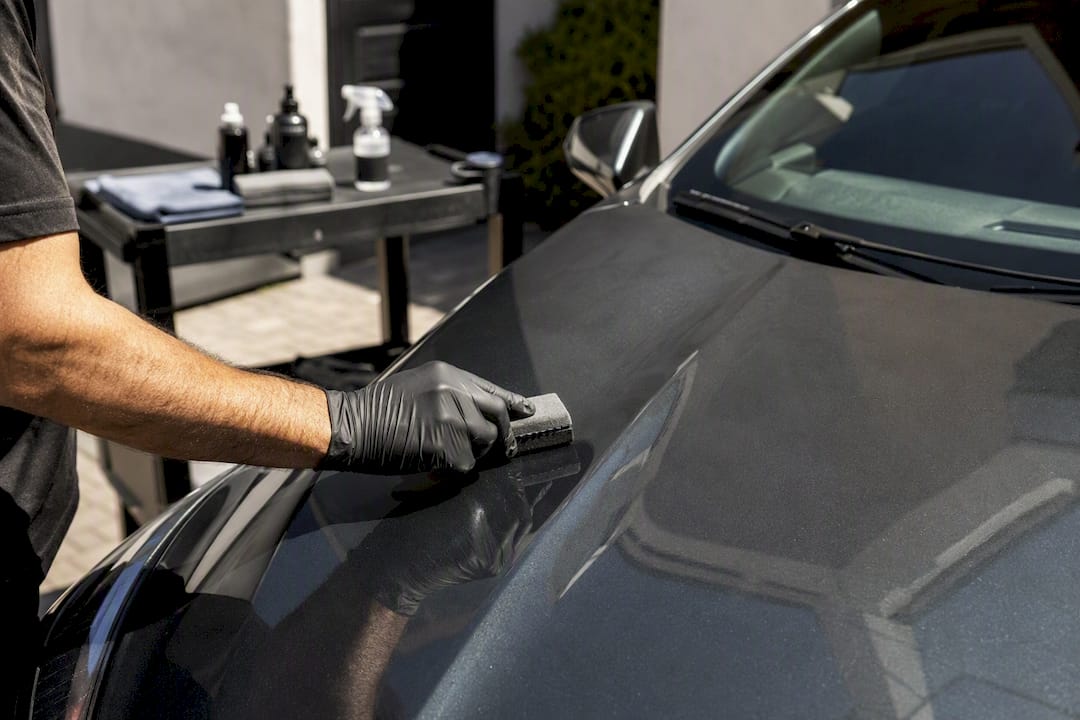
Cdcautodetailing gives fleet managers something a repair shop can’t: a scheduled way to catch surface-level defects and keep vehicles inspection-ready between PM windows, without adding another vendor to your repair pipeline. A clean, well-maintained interior surfaces problems (torn upholstery hiding a fluid leak, grime masking a cracked light housing) that a rushed DVIR can miss.
Regular detailing also protects the brand image your fleet presents to customers and inspectors alike, a point covered in detail on how detailing supports fleet brand image. Cdcautodetailing runs as a mobile service across South Jersey, with frequency options that can be timed to your PM calendar rather than competing with it, so a detailing slot never conflicts with a shop appointment. For fleets managing multiple vehicles on a rotation, the fleet detailing packages page outlines how scheduling works across a full roster. If you’re ready to add a detailing slot to your next PM window, request a quote through Cdcautodetailing’s booking form and get a schedule that fits your shop’s calendar.
Sources
- Fleet Maintenance: Key Steps, Challenges & Best Practices — Fleetio
- What proactive maintenance benefits and how it works — eMaint
- 25 Fleet Management Strategies to Boost Efficiency — Geotab
- Federal Motor Carrier Safety Administration (FMCSA)
- Fleet Maintenance Workflow: 5-Stage Process (2026) — FleetRabbit